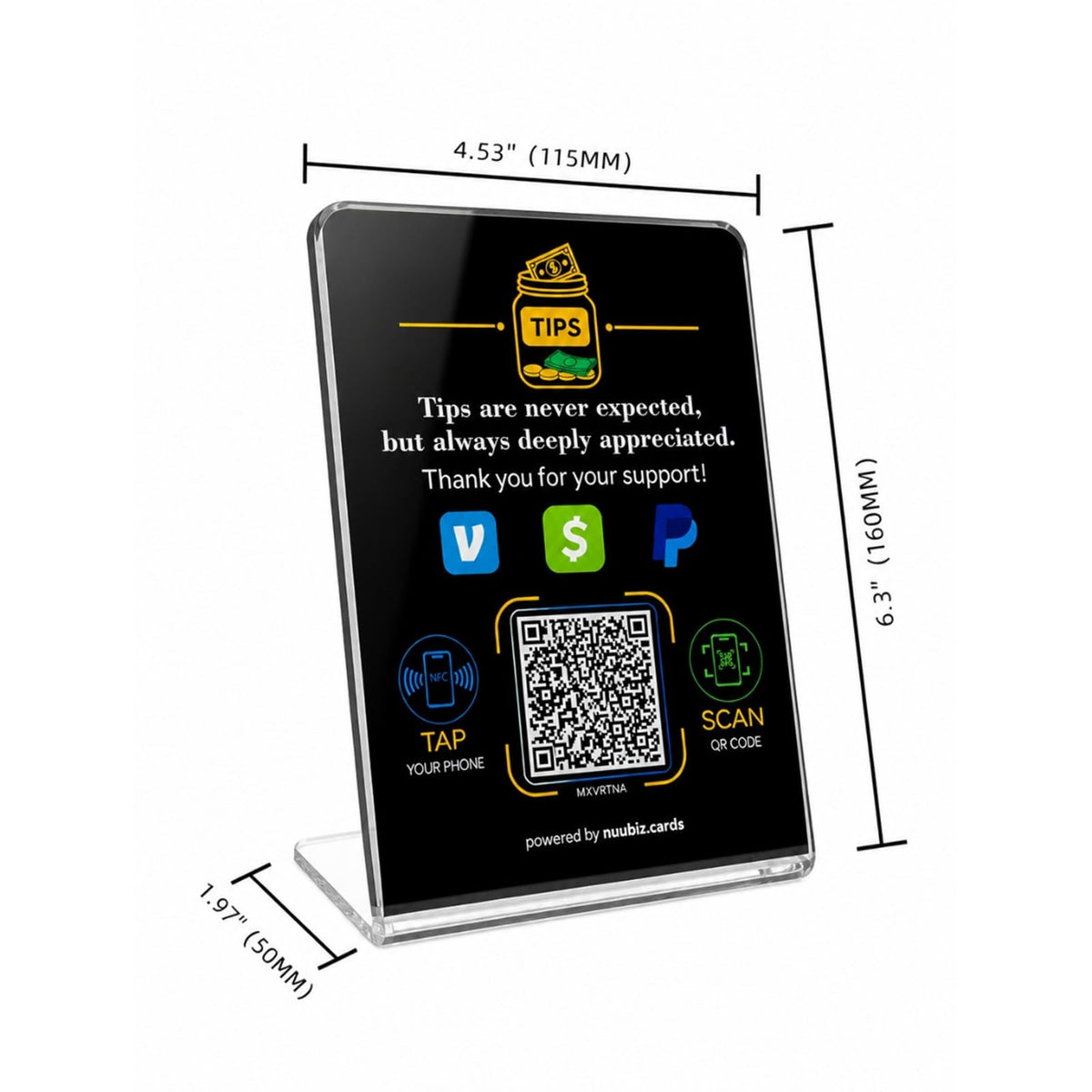
Tip Jar Stand with NFC QR Code Sign for Venmo Cash App PayPal
NFC Google Review Plate / Display with QR Code Double your Google reviews in 3 months!
🚀 Collect Reviews in 3 Seconds !
☝️ One-Time Purchase, No Monthly Fees
🥇 Rank at the Top of Google Searches
Couldn't load pickup availability
Product Detail
Product Detail
- NFC & QR Code Contactless Tip Display: Make digital tipping simple with this NFC and QR code tip sign. Customers can tap their smartphone or scan the QR code to access your connected payment link quickly and conveniently
- Premium Acrylic Countertop Design: Made from clear acrylic with a modern professional look, this tip payment stand measures 6.3" × 4.45" and is ideal for counters, tables, checkout areas and service stations
- Easy Setup & Flexible Link Updates: Activate your NFC tip sign in minutes and connect your preferred link. Update the linked destination anytime through your account without replacing the physical acrylic stand.
- Easy Setup & Customizable Business Page: Set up your NFC tip sign quickly and connect your preferred link. Add your logo and business introduction to personalize your page, and update the linked URL anytime through your account without replacing the acrylic stand
- Perfect for Service Businesses & Professionals: Designed for restaurants, cafés, bars, coffee shops, food trucks, salons, barbers, nail technicians, beauty professionals, hotels, retail stores, musicians, event staff, vendors, delivery drivers, rideshare drivers and other customer-facing businesses
- Free Shipping
- 30-Day Risk-Free Trial
- Easy & Free Return
How to Set up Nuubiz Product?
Step 1: Scan the QR Code
When you receive your Nuubiz product, scan the QR code provided.
Step 2: Activate Your Product
Visit the Nuubiz: Enter the activation code from your product to complete the activation process.It's a quick and simple procedure!
Step 3: You're All Set!
That's all there is to it! Now you're ready to start gathering your first reviews!
Who creates the QR code?
The QR code is created by ourselves, each plaque having a unique QR code.
When you receive your plaque and set it up, it will redirect to your Google page.
View More Detail
Technical specifications
• Unlimited use | No wifi or power supply needed
• Links to any review page like Google, Yelp, Tripadvisor, Trustpilot, any website URL, or any social platform.
• Size : 4,7"x4,7" (12x12cm), Thick : 0.13" (3mm) | Includes clear acrylic dot adhesive
• No app required to scan. Works on Apple and Android
Shipping & Returns
Shipping & Returns
- We ship to anywhere in the world.
- Free shipping on orders over $25
- Shipping Time: 3-7 days. Faster Express options available at checkout.
- For more Shipping & Returns policies

- Featured
- Most recent
- Highest ratings first
- Lowest ratings first
- Show photos first
Setting up Nuubiz products? Just 10 seconds!
-
Step 1: Scan the QR Code
When you receive your Nuubiz product, scan the QR code provided.
-
Step 2: Activate Your Product
Visit the Nuubiz: Enter the activation code from your product to complete the activation process.It's a quick and simple procedure!
-
Step 3: You're All Set!
That's all there is to it! Now you're ready to start gathering your first reviews!
You May Also Like
- Featured
- Most recent
- Highest ratings first
- Lowest ratings first
- Show photos first